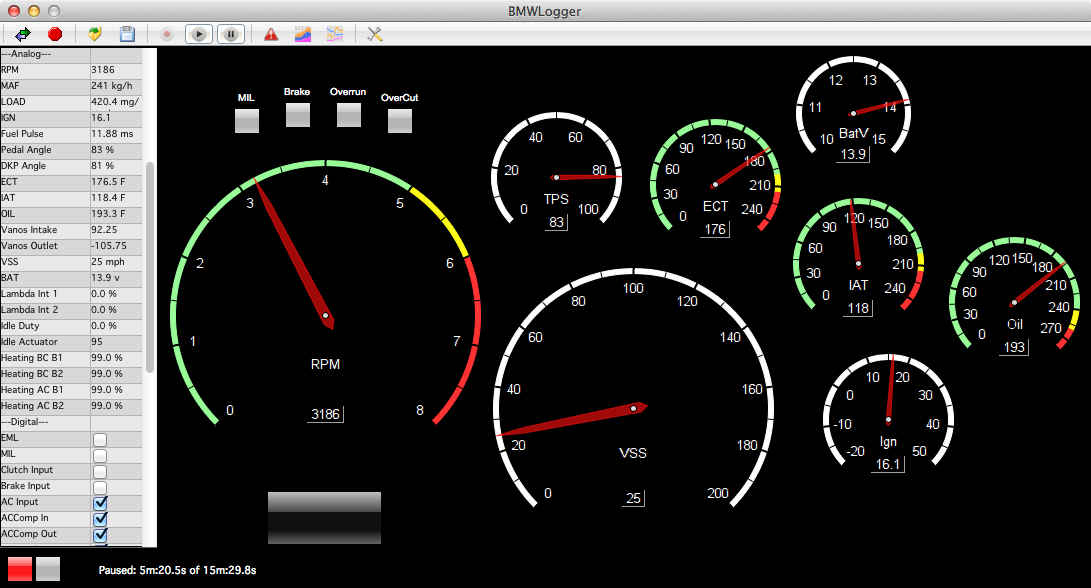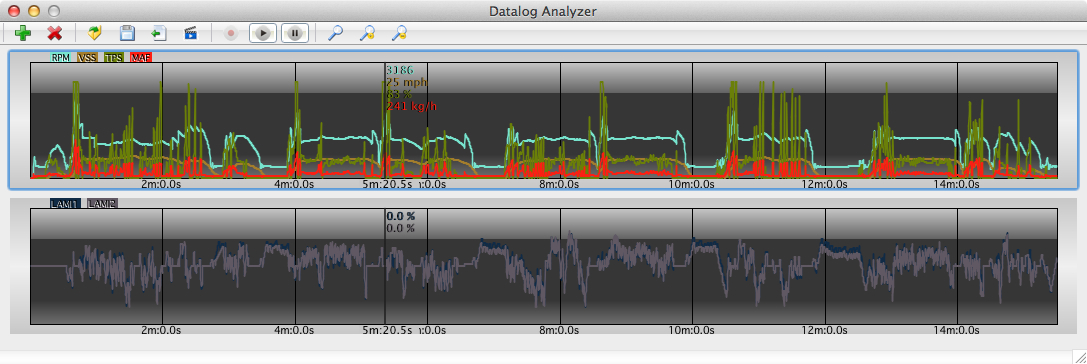
BMWLogger allows you to log data from your BMW in real-time. This incredibly simple to use application is feature rich, too.
Currently This Public Release Fully Supports MSS60, MSS65, MSS70, MSV70, MSV80, MSV80.1, MSD80, MSD81, and MSD85. We do not support the F Series Chassis.
Registering A New Battery with IBS works for most newer gasoline vehicles that use the IBS system. Make sure you watch the tutorial video to properly setup the software to use your cable.
For MS41, MS42, MS43, MS45, MSS50, MSS52, and MSS54 please see our other product page at https://bimmersoftware.com/BMWLogger
It Is FREE To:
– Load And Playback Datalogs (Tuners, Get Real Data From Your Customers To Help The Tuning Process!)*
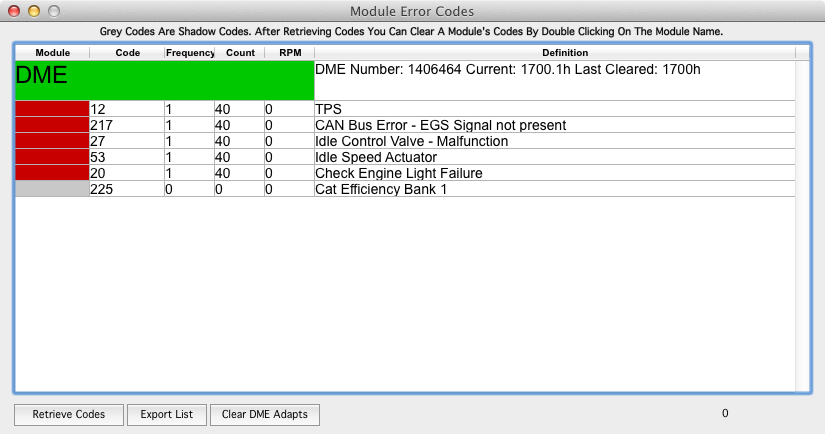
– Check/Clear DME Error Codes
– Clear All DME Adaptations
– Register A New Battery With IBS. This Does Not Recode Amperage Values Into Your Module. This Only Resets IBS For A New Battery
Please read this HOW TO for registering a battery and clearing adaptations.
* Want to see the speeds and datalogged items? Download Sample Datalogs Here: Software>BMWLogger>Datalogs. Follow the tutorial video on how to play them back.
Have You Found These Free Features Useful? Think About Donating To Further Develop BMWLogger.
Full Version Licensing Info (Allows Real-Time Data Acquisition and Logging Of DME):
– Single DME License – Each License Is Locked To A Specific DME. For Single Vehicles, Track Logging, etc. Changing Flash Software May Invalidate The License.
MSS60 E9x M3 – $49
MSS65 E6x M5/M6 – $49
MSS70 Z4 M Coupe – $49
MSV70 E60, E8x, E9x, E53, 2.5L and 3.0L – $49
MSV80 and MSV80.1 E60, E8x, E9x, E53, 2.5L and 3.0L – $49
MSD80 and MSD81 E60, E8x, E9x 135/335/535 N54 – $49
MSD85 E70, E71, X5/M, X6/M, F01 – $49
Review the Sample Datalogs for your platform before purchasing a license as not every platform supports the same data and the licenses are non-refundable once issued.
Make sure to check for our email with directions once you’ve purchased. Email Us For Licensing Questions At Info@BimmerSoftware.com
Watch The Tutorial Video Which Covers Using The Software And Registering The Full Version:
Download Today! – Mac OS X 10.5 To 10.14, Windows XP And Up
 |
 |
Main Features:
– Factory Wideband support on MSV70/80, MSD80/81, MSD85, MSS60, MSS65, MSS70
– NO INPA/EDIABAS INSTALL REQUIRED. Completely Self-Reliant Application
– No Need To Buy A Specific Cable At A 200% Mark Up! Any USB K-Line or K+DCAN Cable That Uses The FTDI Chipset Can Be Used
– Direct USB Support. No Need To Deal With COM Port Numbers Or Settings. Truly Plug And Play
– The Software Auto-Updates. No Messy Uninstall/Reinstall!
– Automatic FTDI Driver Installation
– Choose Between KPH And MPH, Celsius And Fahrenheit
– Real-Time Datalogging (RPM, Speed, Temperatures, Ignition Timing, Vanos Info, Status Info, Inputs/Outputs, And More!) *Review your platform’s sample datalog using the links above to see supported data types
– Innovative Wideband Support. Simply plug your Innovative wideband after installing LogWorks (Do not launch LogWorks) and connect to your DME with BMWLogger.
– Gauges To Visualize Incoming Data
– Data List With All Supported Data In Readable Format
– Record, Save, and Load Data From Saved Recordings
– Playback Recordings In Real-Time
– Export Recordings To CSV
– Datalog Commenting To Mark Events In Recordings For Later Analysis
– Check And Clear Error Codes. Shadow And Prominent Codes (Currently Displays Code Only. Descriptions Are Being Translated)
– Clear Adaptations
– Register A New Battery With IBS.
Graphing Features:
– Live Graphing To Compare Data In Real-Time
– Main Graphing For Analyzing Recordings
– Live Scrub Allows You To Easily Move Through Recordings With Your Mouse
– Multiple Graphs Can Be Setup And Defined
– Real Values Are Shown On Graphs As You Playback For Easy Identification
– Overlay Multiple Items On Each Graph For Comparison
– Definable Colors For Each Data Item
– Graph Zoom And Scrolling
– Trim Recordings To See Only The Data You Want To Analyze
Recommended Cable Type For K-Line Is The Blue VAG KKL OBD2 Cable With FT232RL Chip or the EOBD2 Galletto Cable.
Or The Clear K+DCAN Cable For DCAN Vehicles (Post 03/2007 MY):
If you don’t get your cable from us, we recommend one stop electronics.